Email to Workflowy
You can now email thoughts, notes, or links straight to Workflowy without opening the app. It's another way to get things into your Workflowy hub, so everything is there when you need it.
Get a unique email address for key nodes like Today or Inbox, or any node you've added a Shortcut to. You control which email addresses are allowed to send to it.
Works on shared nodes too and free for all users.
You can email thoughts, notes, or links straight to Workflowy without opening the app.
By default, your account already has some items you can send emails to (these are created when you first email them). These default items are: Today, Tomorrow, Next Week.
You also control which email addresses can actually send items to your unique Workflowy emails.
This feature also works on shared nodes.
If the content you email has markdown Workflowy supports, It'll be displayed correctly in your account.
You first need to give an item a shortcut so it'll show up in your email destination list. Otherwise you'll only be able to email the default locations - Today, Tomorrow, Next Week.
1. Open email to wf settings page
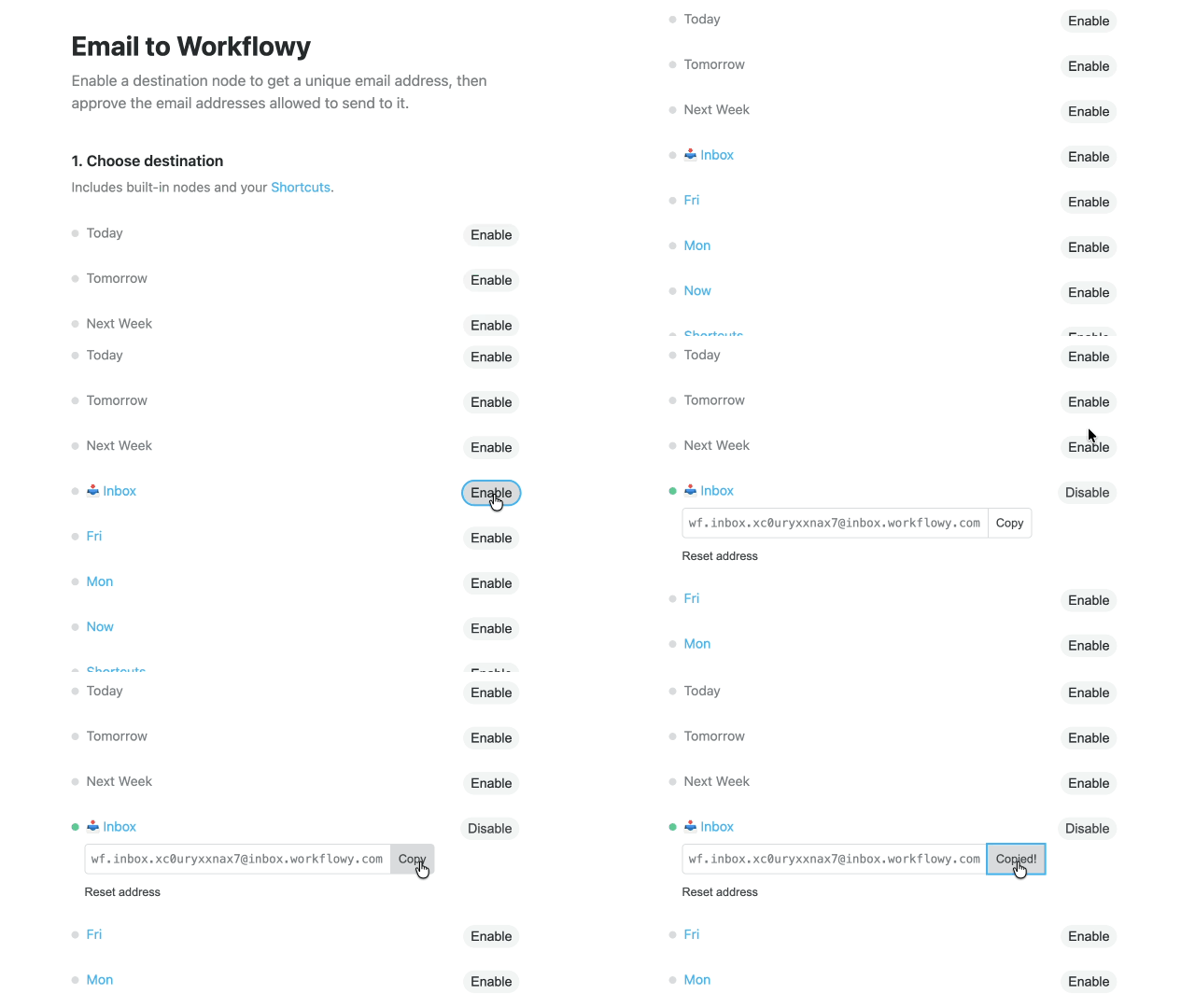
2. Click 'Enable' to give that item a unique Workflowy address
You can now send emails to this unique address (as long as the email you're send from is in your 'Approved Sender' list).
You can also reset this unique email address if you need to for any reason.
Only emails from approved addresses can actually send content to your unique workflowy addresses. This is done to prevent your Workflowy account from receiving emails not sent by you or an approved sender.
You can remove any approved sender by clicking the 'Remove' button.
1. Open email to wf settings page
2. Scroll down to the bottom of the page
3. Add an email address
4. Click 'Approve sender'
You can now send emails from this approved email address to your unique workflowy addresses.

Shortcuts → Your custom shortcuts serve as targets for your emails. Create shortcuts, then give them workflowy email addresses you can email notes to.
Sharing → Give a shared item a unique workflowy email address and use that as a centralized inbox for teams or groups (Just make sure to add their emails to your approved senders list).


